Why Is Video Editing So Bad on Linux Compared to Windows with Camtasia?
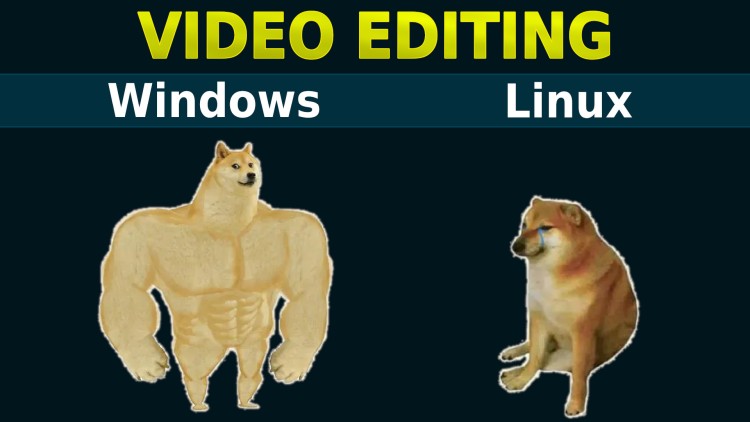
I recently tried Kdenlive, Shotcut, DaVinci Resolve, Blender and Lightworks on Linux. They're not even close to Camtasia.
Want to jump straight to the demo video where I compare editors? Here it is.
I’ve been creating videos (technical screencasts) now for almost 10 years. There’s about 400 videos up on YouTube and hundreds more for technical video courses.
All of them are similar, I record my desktop and have a webcam in the corner. Recording is done with OBS which works fantastically well on Windows and Linux. No problems there!
For editing, currently I use Windows with Camtasia from 2016 (version 9.X) and it makes doing certain things so easy like making cuts, adding decent looking text callouts, zooming and creating basic animations. It never crashes and it runs fast to edit 1080p videos on my machine built in 2014. It’s one of the most intuitive pieces of software I’ve used in ~20 years.
Just a heads up, I bought Camtasia for around $100 back in 2016. It was a one time purchase. I don’t know what their newest version is like, I never bothered to upgrade because the version I have works so well.
I recorded a 1 hour ad-free video editing a video with Camtasia and also Shotcut (which runs on Linux). You can see for yourself what the editing experience is like with both for comparable use cases. Here’s the video.
# My Linux Background
I didn’t mention this on video but I want to help set the stage here.
I’ve been using Linux for ~15 years on servers. On my desktop I’ve been using Windows for the last ~20 years or so. My development environment has always been in a Linux VM or more recently (last ~9 years) using WSL 1 and then WSL 2.
6-7 years ago I tried switching to native Linux and ran into issues with my hardware but I’m switching to native Linux in a few weeks no matter what so I’m making this video in hopes things improve over time because I want to continue making videos and courses.
I’m only saying that because I’m comfortable using Linux and I know what I’m getting myself into. I know sometimes things don’t “just work”, but we all know amazing tools do exist on Linux, both command line tools and graphical tools. It can be done!
# Video Editors on Linux
Recently I tried the latest and greatest versions of a bunch of video editors on Linux and none of them come close to the editing experience that Camtasia has. They all either have seriously inefficient workflows for common things that make editing videos a massive grind, run really poorly, have lots of UI bugs or simply don’t support popular codecs.
This isn’t always a case of “just learn the other tools”. They all have fundamental issues that are either deal breakers or are going to be wildly inefficient no matter what because they don’t have a way to do the task faster.
Here’s a quick recap of some of the issues I encountered:
- Shotcut
- Since I covered this one on video, you’ll see many
- Kdenlive
- It’s similar to Shotcut, worse in some ways, better in others
- The text editing experience is so much worse / time consuming, text callouts become a huge task instead of an effortless 10 second ordeal in Camtasia
- Blender (v5)
- Amazing 3D modeling tool, video editing is relatively new to its feature set
- The video editing workspace is missing a ton of common things, you can’t ripple delete in 1 key press
- It’s clearly not aimed at editing videos like other dedicated tools but I’m sure it’s great in the context of editing your animations (its niche)
- Lightworks:
- Requires $400 to export 1080p videos with a controllable bit-rate based on their pricing price
- Their pricing page also says a lot of paid features aren’t compatible with Linux
- The editing experience just feels slow to do so many common things, generally speaking I much preferred every other editor if it came down to it
DaVinci Resolve
I know you might be saying “just use DaVinci Resolve, it’s a solved problem”. That’s why I’m dedicating a whole section to it.
The problem is h264 encoding and decoding isn’t supported on Linux unless you pay $300 for the studio version but even the studio version doesn’t support AAC (audio codec) so you’re stuck having to either re-encode your recording into a Resolve compatible format and re-encode your Resolve export. This is a massive waste of disk space and time to do all the time for every video you record and edit.
Plus, getting it to run on Linux is apparently a never ending adventure because updates frequently break it and it’s very sensitive to which GPU you have (NVIDIA vs AMD), but these problems don’t exist on Windows. My 2014 machine with a GeForce 750ti happily runs DaVinci Resolve on Windows and I can smoothly edit 1080 videos with no proxy clips. To me that demonstrates the hardware is capable.
With that said, it would be a solved problem and a great experience if all you had to do was pay them $300 and everything “just worked” for h264+ / AAC and you didn’t have to battle getting it to run today and in the future on whatever hardware you have.
Video editing tools are a critically important tool, absolutely in the same category as your code editor. You can’t have it break randomly and then lose a day or more of troubleshooting when you have videos that have to be done by X date.
Stability and dependability is even more important than a code editor because in a worst case scenario you can edit text with another tool temporarily. With a video editor, your project is associated with 1 specific editor.
# I Tried to Keep The Video Below Constructive
We’re on the same team here. Please tell me I’m wrong about everything and help me improve. The video below demonstrates using Camtasia to do a few basic things and then attempting to do the same with Shotcut.
I didn’t bother showing the other Linux compatible video editors because they were all worse than Shotcut for the types of videos I typically edit and I already covered why DaVinci Resolve is out of the picture.
This isn’t a post or video about bad mouthing a bunch of folks creating and maintaining their passion projects, I have nothing but respect for them.
It’s an honest look at using these tools while I gave my unscripted take on things.
Finally, before you watch the video please also take into account I contribute as much as I can to open source projects so I know how it is. I’ve also published 500+ blog posts over 10+ years freely sharing everything I’ve learned along the way about being a developer. I hope this post doesn’t come off as complaining but not willing to do anything. I don’t know enough C / C++ to contribute to these projects otherwise I would be opening up a lot of PRs.
# Camtasia on Windows vs Video Editors on Linux
This 1 hour ad-free video covers a bunch of examples and workflows.
Timestamps
- 0:50 – Video’s agenda
- 1:30 – Camtasia: TL;DR
- 2:17 – Camtasia: Audio adjustments
- 3:33 – Camtasia: Cuts
- 6:22 – Camtasia: Text callouts
- 12:20 – Camtasia: Zooming
- 15:44 – Camtasia: Easy animations
- 18:09 – Camtasia: Other annotations
- 20:25 – Camtasia: Transitions
- 21:44 – Camtasia: Audio fading
- 22:09 – Camtasia: Visual Effects
- 22:45 – Camtasia lets me get stuff done
- 23:39 – I’m on 11 year old hardware
- 25:07 – Shotcut: The pain begins
- 27:49 – Shotcut: Cuts
- 31:22 – Shotcut: Text callouts
- 40:36 – Shotcut: Super slowdowns
- 41:53 – Shotcut: Zooming
- 46:56 – Shotcut: Nice but not nice
- 48:19 – Why not use DaVinci Resolve?
- 52:06 – I’m switching to Linux no matter what
How do you make video editing suck less on Linux? Let me know below.